Skip to content
View in the app

A better way to browse. Learn more.

Форум—zombimaniya.ru

A full-screen app on your home screen with push notifications, badges and more.

To install this app on iOS and iPadOS
  1. Tap the Share icon in Safari
  2. Scroll the menu and tap Add to Home Screen.
  3. Tap Add in the top-right corner.
To install this app on Android
  1. Tap the 3-dot menu (⋮) in the top-right corner of the browser.
  2. Tap Add to Home screen or Install app.
  3. Confirm by tapping Install.

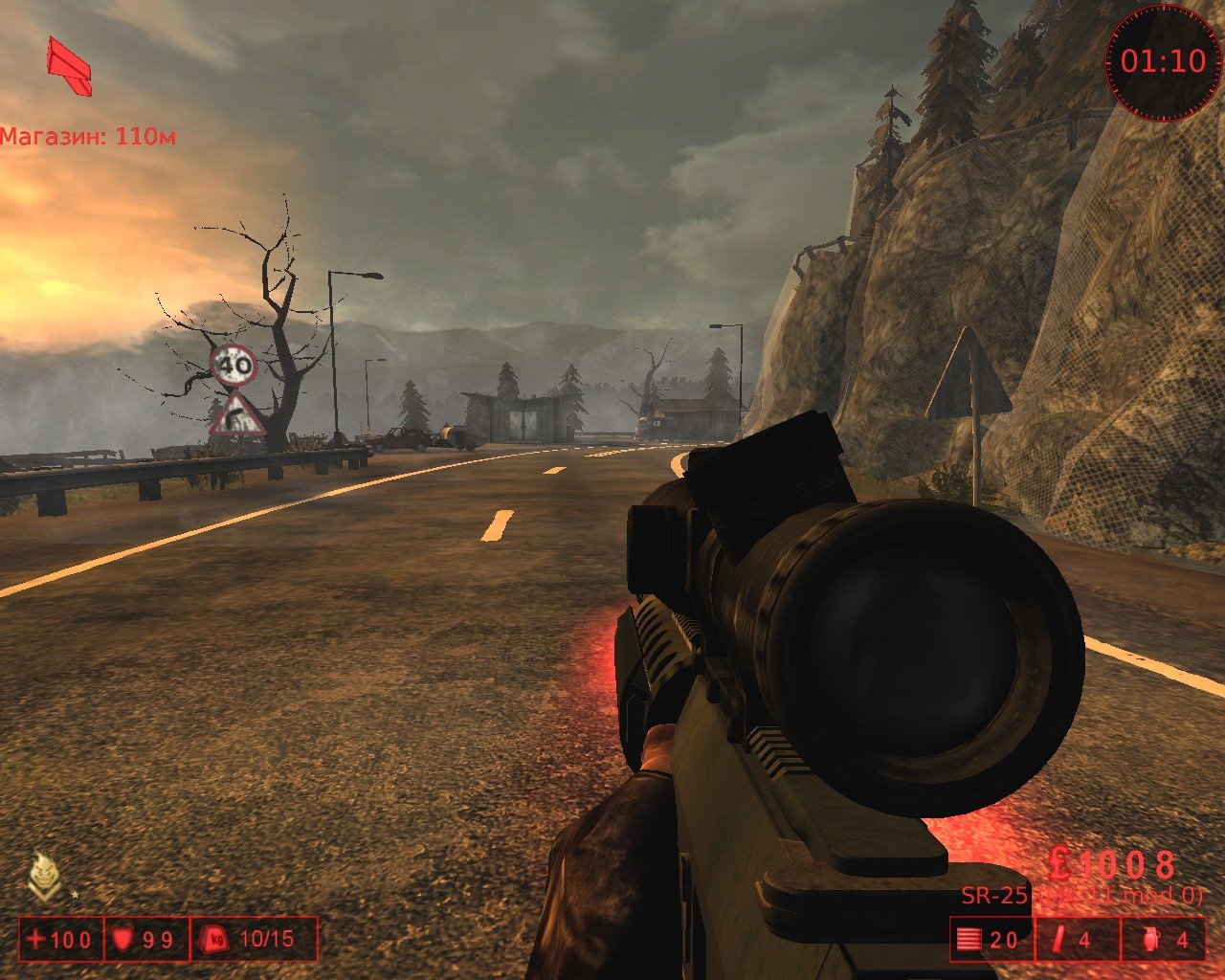
1 Screenshot

SR 25 - еще одна снайперская винтовка для killing floor'a . Довольно хорошее и скорострельное оружие . Анимация взята от М4.


Код чтобы оружие появлялось в начале волны:
Mk11SR.MutMk11SR


Код для магазина ServerPerks:
Mk11SR.Mk11SRPickup

User Feedback

Recommended Comments

blueeyiz702 Newbie

blueeyiz702

Стажёр

@Arcan,does this still work and can you use on ZOMBIMANIYA servers?

  •  

Account

Navigation

Search

Search

Configure browser push notifications

Chrome (Android)
  1. Tap the lock icon next to the address bar.
  2. Tap Permissions → Notifications.
  3. Adjust your preference.
Chrome (Desktop)
  1. Click the padlock icon in the address bar.
  2. Select Site settings.
  3. Find Notifications and adjust your preference.